
Your watch, your data, one place
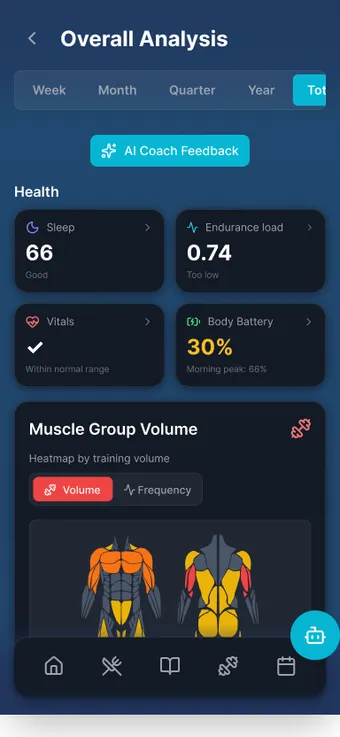
MAXIMUM Workouts reads steps, sleep, heart rate, HRV, Body Battery and workouts from Garmin Connect, Health Connect and Apple Health and pairs Bluetooth heart-rate straps during training. Its own watch apps for Wear OS and Apple Watch start workouts without the phone, mirror sets and rest timer and navigate planned routes on your wrist with arrow, vibration and voice cues.

What it does
- Garmin Connect
- Steps, active calories, resting heart rate, stress, Body Battery in real Garmin values, sleep with sleep score, HRV, SpO₂, respiration rate, VO₂max, weight and body values as well as activities with GPS route, heart rate, pace and cadence.
- Heart-rate straps via Bluetooth
- Polar, Garmin HRM, Wahoo and others: connect via the heart icon during the ongoing workout.
- Health Connect and Apple Health
- Steps, distance, calories, workouts, body values, nutrition, sleep with stages, heart rate, HRV, SpO₂ and respiration rate. The app writes completed workouts and meals back.
- Wear OS app without the phone
- Quick start with 33 sports, lap swimming with lap counting, training plans from the phone, routes, auto-start for running, cycling, walking, hiking and more.
- Apple Watch app
- 34 sports, training plans, routes, mirrored sets and rest timer, auto-stop for forgotten workouts.
- Navigation on your wrist
- Large turn arrow with remaining distance, a noticeable vibration even in “Do not disturb”, voice cues via headphones.
- Sync workout
- Started on the phone, mirrored on the watch: sets, weights, rests. Heart rate, distance, pace, elevation gain and calories come from the watch every three seconds.
- Data source status
- Profile → Connections shows for each metric which source delivers it, whether it is stale and what to do.
 AI-generated scene
 How it works
- 01 Garmin: Profile → Connections → switch on “Garmin Connect”, confirm the consent, sign in with Garmin in the browser. Garmin sends the data on its own, no sync button needed.
- 02 Health Connect or Apple Health: Profile → Connections → switch on “Fitness service” and grant the permissions in the system dialog.
- 03 Install the watch app, send a training plan from the plan card with “Send to watch”, a route from the route detail with “Send to watch”.
- 04 Start the workout on the watch or on the phone with “Sync with watch”. Ending applies to both devices, it is saved once.
Limits, honestly
What the feature does not do is also in the in-app manual. The key points up front.
- Sleep, HRV, resting heart rate, SpO₂ and respiration rate are measured only by a watch or tracker. Health Connect and Apple Health measure nothing themselves, they only pass data on.
- Garmin delivers history about one month back, for SpO₂ and respiration rate no past data. When you disconnect, the complete Garmin data set on the server is deleted.
- Health Connect and Apple Health do not sync in the background: data arrives at app start, when returning to the app and on pull-to-refresh. Other apps such as Samsung Health or Strava have to connect to Health Connect themselves.
- Due to system restrictions the Apple Watch cannot start a workout automatically in the background. It asks when opened if the heart rate of the last ten minutes shows movement.
- The watch does not recalculate a route. If you leave the track, it shows the way back to the route, not a new way to the destination. There is deliberately no map on the watch.
- For Streak verification only workouts started in the app with a connected heart-rate sensor count (strap or watch in heart-rate monitor mode), no imports from Garmin, Polar Flow or Health Connect.
Frequently asked questions
Which Garmin watches work?
All devices that sync via Garmin Connect. The app reads the data from Garmin Connect, not directly from the watch. For live heart rate during training you additionally pair a Garmin HRM strap via Bluetooth.
Do I need a smartwatch for the app?
No. Workouts, nutrition and weight can be logged without a watch, GPS tracks are recorded by the smartphone. A watch additionally delivers heart rate, sleep data, HRV and automatic workout detection.
Does the watch start workouts on its own?
On Wear OS yes, if automatic detection is switched on (off by default): running and cycling after three minutes, walking after ten. The start is backdated to the beginning of the movement. On the Apple Watch this is not possible due to system restrictions, it asks when opened.
14 days free. No payment details.
Then a monthly cancellable Premium subscription. Your data stays on your device.